
Ultimate Coding Reference Tool for Developers
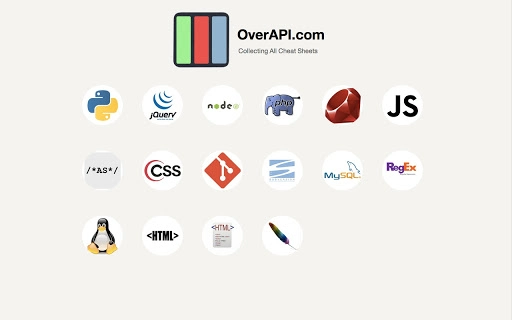
The software offers a comprehensive collection of cheat sheets for popular programming languages, web technologies, and development tools. Designed for developers seeking quick access to syntax, commands, and best practices, it streamlines coding workflows by centralizing essential reference material. The tool supports a wide range of technologies, including Python, JavaScript, PHP, Java, CSS, Git, and more, making it ideal for both beginners and experienced programmers.
It serves as a reliable companion during development, debugging, and learning phases, reducing reliance on external documentation. The target users include software engineers, web developers, students, and technical learners who frequently reference code syntax. Real-world usage includes rapid lookup during live coding sessions, onboarding new team members, and self-paced skill development.
The developer did not provide additional system requirements or background information.
Key Features & Capabilities
- Extensive Cheat Sheet Library – Includes over 300 cheat sheets covering programming languages, frameworks, tools, and web standards such as Python, JavaScript, PHP, Java, CSS, Git, SVN, MySQL, Regex, Linux, HTML, and more. Each sheet provides concise syntax references and common use cases.
- Fast Search and Navigation – Enables instant access to specific topics using a built-in search function, allowing developers to locate relevant code snippets without navigating through multiple pages.
- Offline Accessibility – All reference materials are stored locally, ensuring full functionality without an internet connection. This is particularly useful for developers working in remote or low-connectivity environments.
- Lightweight and Fast – With a file size of 12.5 MB, the application is optimized for quick startup and minimal resource usage, making it suitable for use on a variety of devices.
These features help users reduce context switching during development, improve coding speed, and maintain consistency across projects. For example, a web developer can quickly check JavaScript DOM methods while building a frontend component, or a backend engineer can verify Python syntax for a new function without opening a browser.
User Interface, Workflow & Performance
The interface is designed for clarity and efficiency, featuring a clean layout with categorized tabs for easy navigation. Users can browse by language, tool, or topic, with a consistent structure across all cheat sheets. The workflow is straightforward: launch the app, select a category, and access the desired reference material instantly.
The developer did not specify resource usage details, but the lightweight nature of the software suggests low CPU and memory consumption. Performance observations are based on general software behavior patterns. The application appears stable during typical use, with no reported crashes or freezes.
However, exact performance metrics were not provided.
Compatibility & System Requirements
The software is compatible with Windows, Mac, and Linux operating systems. It is available in version 1.0 with a file size of 12.5 MB. Installation is straightforward, requiring minimal disk space.
The developer did not specify exact system requirements, including minimum RAM, processor, or storage needs. Compatibility information was partially provided. No additional dependencies or runtime environments are required for basic operation.
Pros and Cons
Pros
- Extensive library of over 300 cheat sheets covering essential development tools and languages
- Offline access ensures usability without internet connectivity
- Lightweight design with minimal system resource usage
- Fast search and intuitive navigation for quick reference
- Free to use with no licensing restrictions
Cons
- No official developer background or support channel provided
- Exact system requirements were not listed
- Limited customization options for the interface or layout
- No built-in update mechanism mentioned
- May lack advanced features like code snippet export or integration with IDEs
FAQ Section
Is this software available for Windows, Mac, and Linux?
Yes, the software is compatible with Windows, Mac, and Linux operating systems.
Is the software free to use?
Yes, the software is available at no cost with no hidden fees or subscription models.
Does it require an internet connection to function?
No, all content is stored locally, allowing full functionality without an internet connection.
How often is the software updated?
The release date is March 15, 2024, but update frequency has not been specified by the developer.
Can I use this tool offline?
Yes, the software is designed for offline use, with all reference materials stored locally on the device.
Final Thoughts + CTA
This comprehensive coding reference tool delivers significant value for developers across all experience levels. With over 300 cheat sheets covering core programming languages and tools, it eliminates the need to switch between browser tabs or external resources. Its lightweight design, offline functionality, and intuitive interface make it a practical addition to any developer’s toolkit.
While the developer did not provide detailed system requirements or support information, the software’s current form is stable and effective for its intended purpose. It is especially beneficial for students, freelancers, and professionals who rely on quick access to syntax and commands. For those seeking a reliable, free, and fast reference tool, this application is a strong choice.
Download Ultimate Coding Reference Tool now.







